Add booking to your website
Put a Book Now button or your game list on your own website with a two-line snippet. Where to paste it in WordPress, Squarespace, Wix, Weebly and other site builders, plus troubleshooting.
Last verified
Two lines of HTML put a Book Now button on your own website. Guests tap it, book in a window over your page, and never leave your site. This page has the snippet, where to paste it in each site builder, and what to check if it doesn't show up. It is written for whoever looks after your website, whether that is you or a designer you hired.
What it is
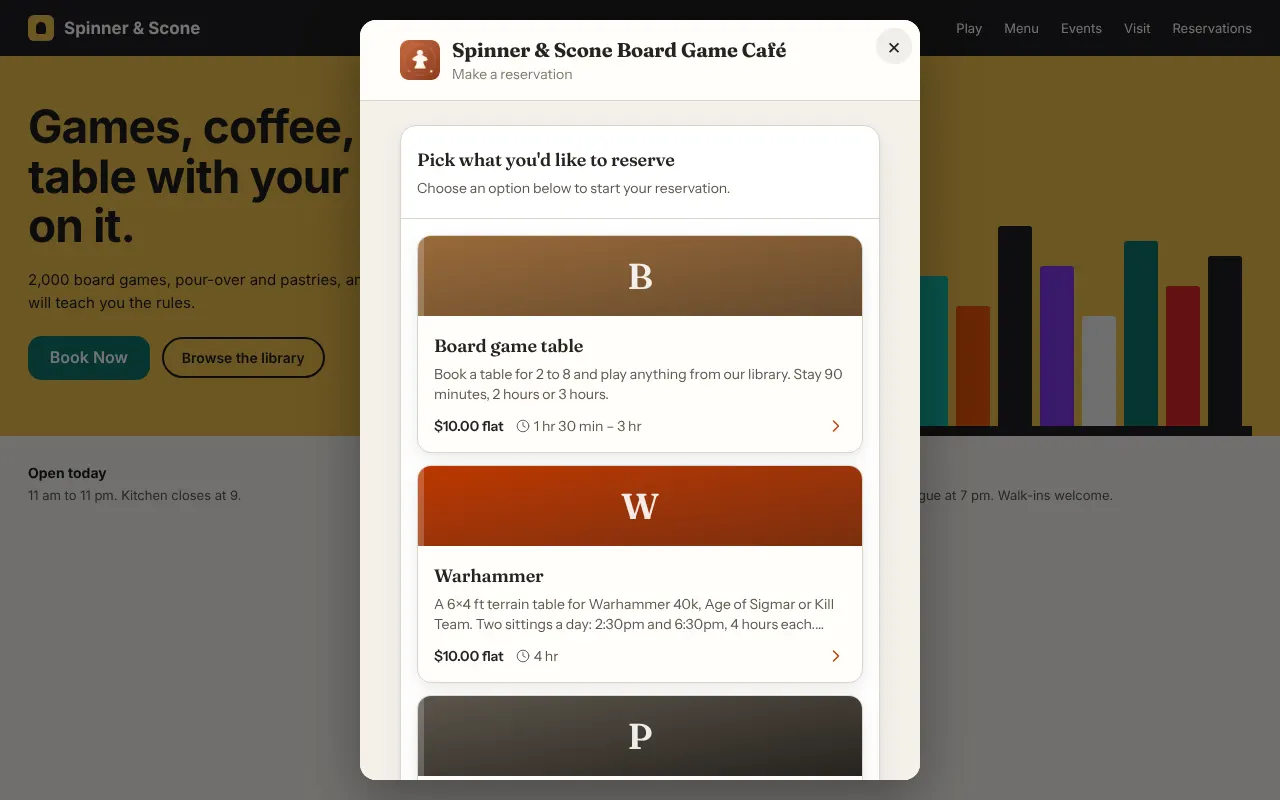
The embed is a Book Now button that opens your GameLedger booking page in a window on top of your own website. Guests pick a time, enter their details and, if your venue takes payment, pay without leaving your site.
Behind the button is the booking page you already have. Bookings, confirmation emails and reminders work exactly as they do from your booking link, so nothing is set up twice. A booking made from your website looks the same in your admin as any other online booking.
The booking page stays on GameLedger, at the same address as your booking link. Your website only shows it in a window, so your own address stays in the browser's address bar while guests book. Nothing is copied onto your site, and there is nothing to host or keep up to date on your side.
You can also show the whole booking form on a page instead of behind a button. See Popup or inline.
Where to find it
In your admin, go to Settings → Guests → Booking Page. The top of the page has two cards:
- Your booking page holds your booking link. Use it anywhere you can't paste code.
- Add booking to your website holds your snippet, with your venue already filled in, and a Copy snippet button.
You can also reach it from the Bookings page. Open Share booking link, then follow the Add the booking widget link inside it.
The snippet
Paste these two lines where you want the button to appear:
<div data-gameledger="your-venue-slug"></div>
<script src="https://www.gameledger.io/embed.js" async></script>
The first line is where the button appears. The second line loads the widget. Keep both. The venue name in the first line is a placeholder. Step 1 below copies your own snippet, with your venue already filled in.
Set it up
Step 1: Copy your snippet from GameLedger
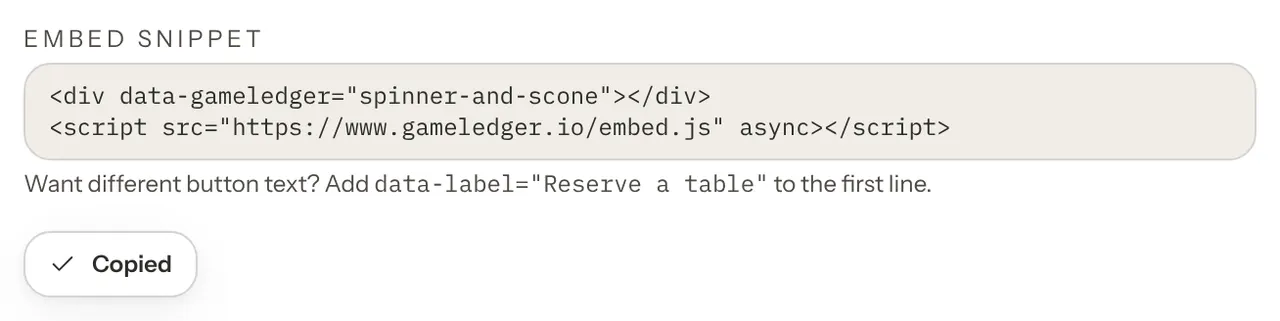
Open Settings → Guests → Booking Page, find the Add booking to your website card and press Copy snippet. The button changes to Copied with a check mark. You don't need to select anything by hand. If your browser blocks copying, the card tells you, and you can select the two lines and copy them yourself.
Step 2: Paste it into your website
In your website editor, open the page where you want the button. Add an element that accepts HTML code, such as one called Custom HTML, Code or Embed Code, and paste the snippet into it. Don't paste into a normal text box, which would show the code as words instead of running it.
The element has a different name in each website builder, so there is no screenshot for this step. See Where to paste it for WordPress, Squarespace, Wix, Weebly and others.
Step 3: Check it works
Publish or preview the page, then reload it once. Some builders keep the old version of a page for a minute.
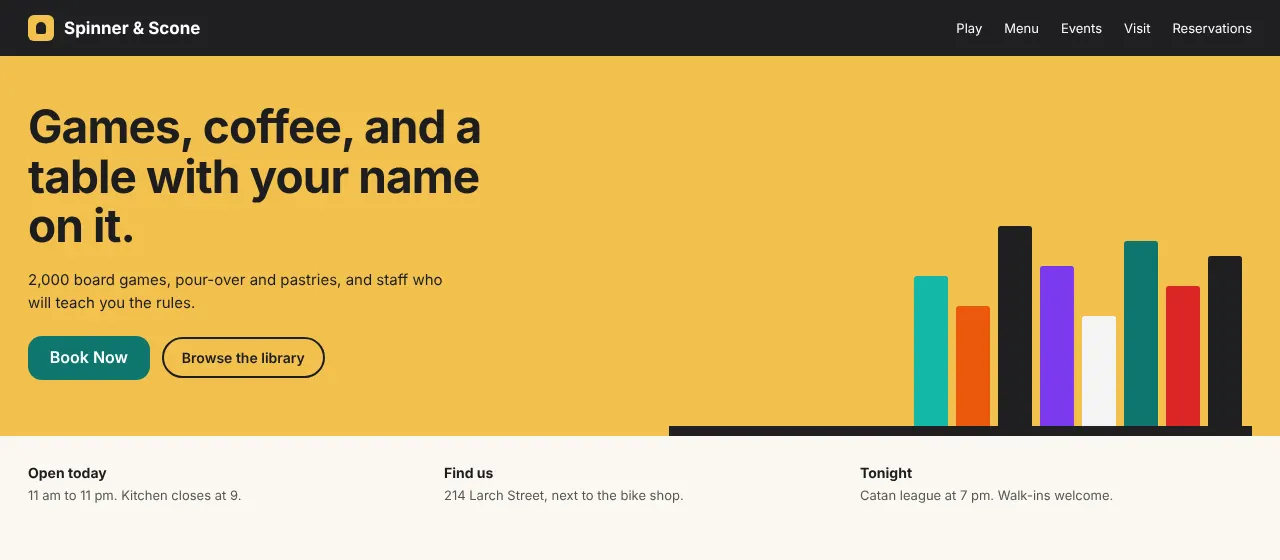
You should see a teal Book Now button that uses your site's font. Tap it. Your booking page opens in a window over the page, with a close button in the corner.
Make a test booking all the way through. The confirmation appears inside the window, and the booking shows up in your GameLedger admin like any other. Cancel it afterwards from your admin, or from the Manage Reservation link on the confirmation.
Where to paste it
Look for the element your builder offers for HTML code. Don't use a normal text block, which strips the <script> line. The names below can differ slightly from what you see, because builders rename their menus from time to time.
WordPress
In the block editor, add a Custom HTML block where you want the button, paste the snippet, then preview and update the page. In the classic editor, switch to the Text tab (not Visual) before you paste, because the Visual tab rewrites HTML. In Elementor, use the HTML widget.
Squarespace
Add a Code block and paste the snippet. Code blocks aren't available on every Squarespace plan. If you don't see Code in the block list, add a Button linked to your booking link instead.
Wix
The simplest and most reliable option is a Wix Button linked to your booking link, set to open in a new tab.
If the form has to live on the page, look for the option to embed HTML code (at the time of writing, Add → Embed Code → Embed HTML) and paste the snippet with data-mode="inline" on the first line. Make the box full width and tall, about 800 px. The Wix box doesn't resize itself, so the form scrolls inside it.
Don't use the popup version inside a Wix HTML box. Wix shows your code in a small box of its own, and that box won't let the popup open over your page. The popup opens inside the small box instead, and guests get a button-sized booking form.
Weebly
Drag an Embed Code element onto the page where you want the button and paste the snippet into it.
Google Sites
Google Sites works like Wix: it shows your code in a small box of its own, which won't let the popup open over your page. Look for the embed code option (at the time of writing, Insert → Embed → Embed code). Either add a Button linked to your booking link (open in a new tab), or paste the snippet with data-mode="inline" into the embed code element and make it tall. Don't use the popup version inside it, and don't paste into a text box.
Carrd and everything else
Any element called "Embed code" or "Custom HTML" that puts your HTML straight into the page works. Paste the snippet as it is. If the element shows your code inside a small box of its own (a fixed-size area that doesn't grow with its content), treat it like Wix: use a Button that links to your booking link, or use inline mode in a tall box.
If a security or speed plugin on your site blocks scripts from other websites, allow www.gameledger.io.
Popup or inline
Popup (the default)
The snippet draws a button. Tapping it opens the booking form in a window over your page. It works on any page where the snippet runs in the page itself, including WordPress, a Squarespace Code block, a Weebly Embed Code element and plain HTML. There is nothing else to set up. Wix and Google Sites are the exceptions, as described above.
Inline
Add data-mode="inline" to the first line and the booking form sits directly on the page instead of behind a button. It grows and shrinks to fit each step. It works best on a page of its own, such as a "Reservations" page.
<div data-gameledger="your-venue-slug" data-mode="inline"></div>
<script src="https://www.gameledger.io/embed.js" async></script>
Inline is the newer mode. If the form ever looks cut off, go back to the popup by removing data-mode. The exception is Wix and Google Sites, where the code sits in a small box that can't grow.
Show your game list
The same widget can show your live game list on your own website. It always matches your games page, so when you add or remove a game in GameLedger, your website updates by itself. Paste these two lines where you want the list:
<div data-gameledger="your-venue-slug" data-page="games" data-mode="inline"></div>
<script src="https://www.gameledger.io/embed.js" async></script>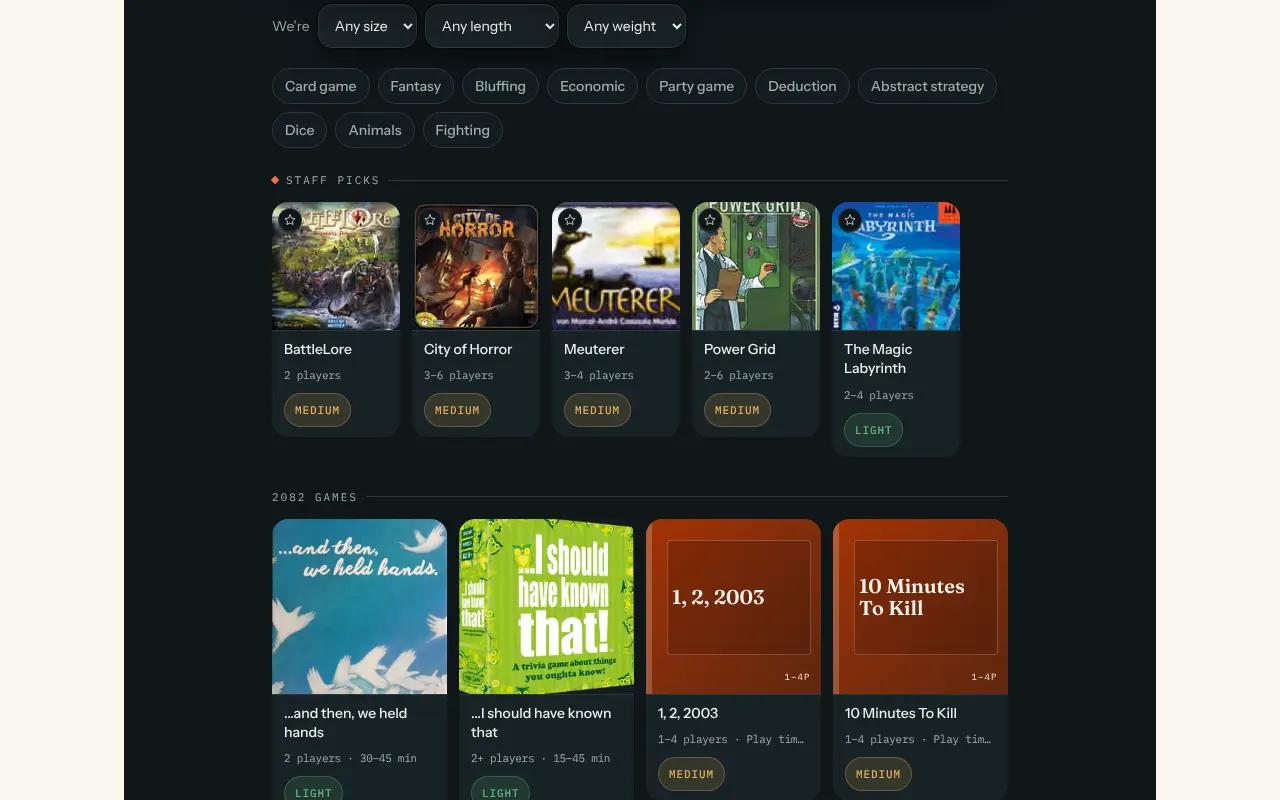
To show a Browse our games button instead, leave out data-mode. Tapping the button opens your game list in a window over your page:
<div data-gameledger="your-venue-slug" data-page="games"></div>
<script src="https://www.gameledger.io/embed.js" async></script>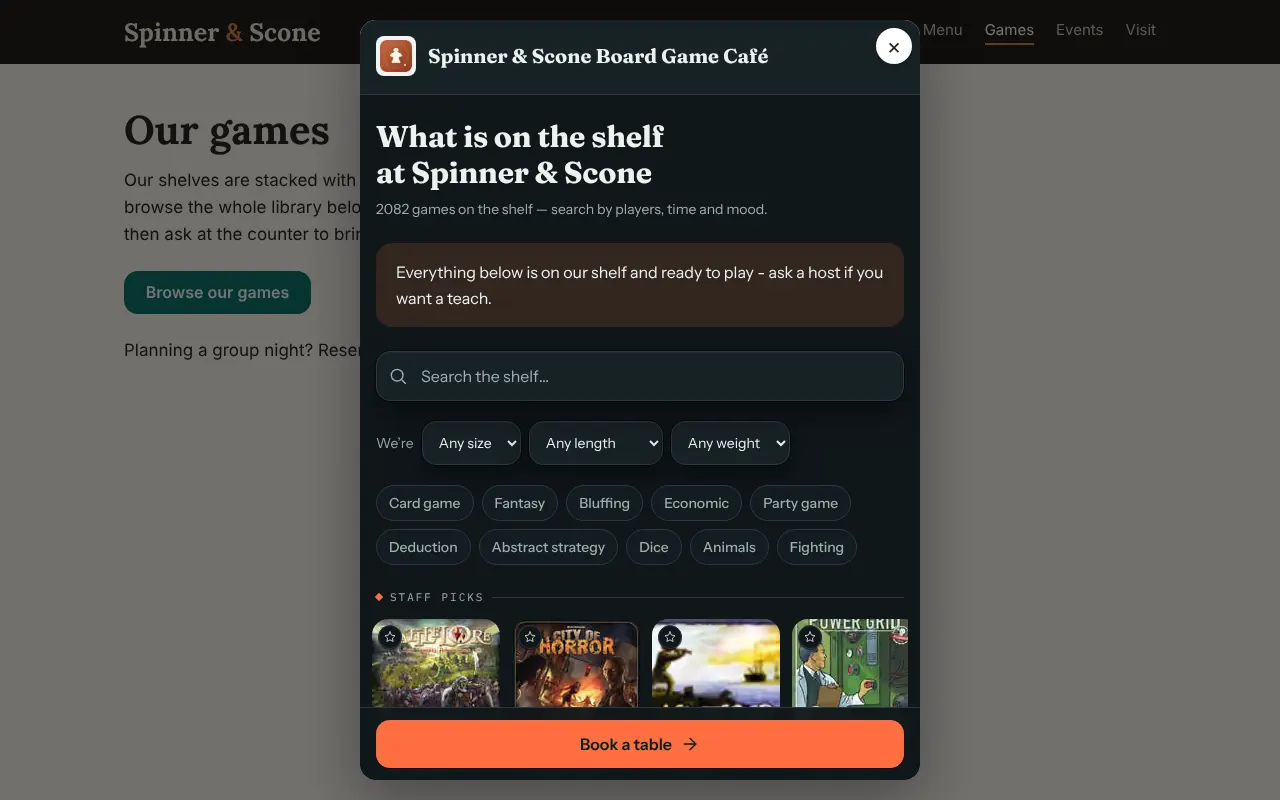
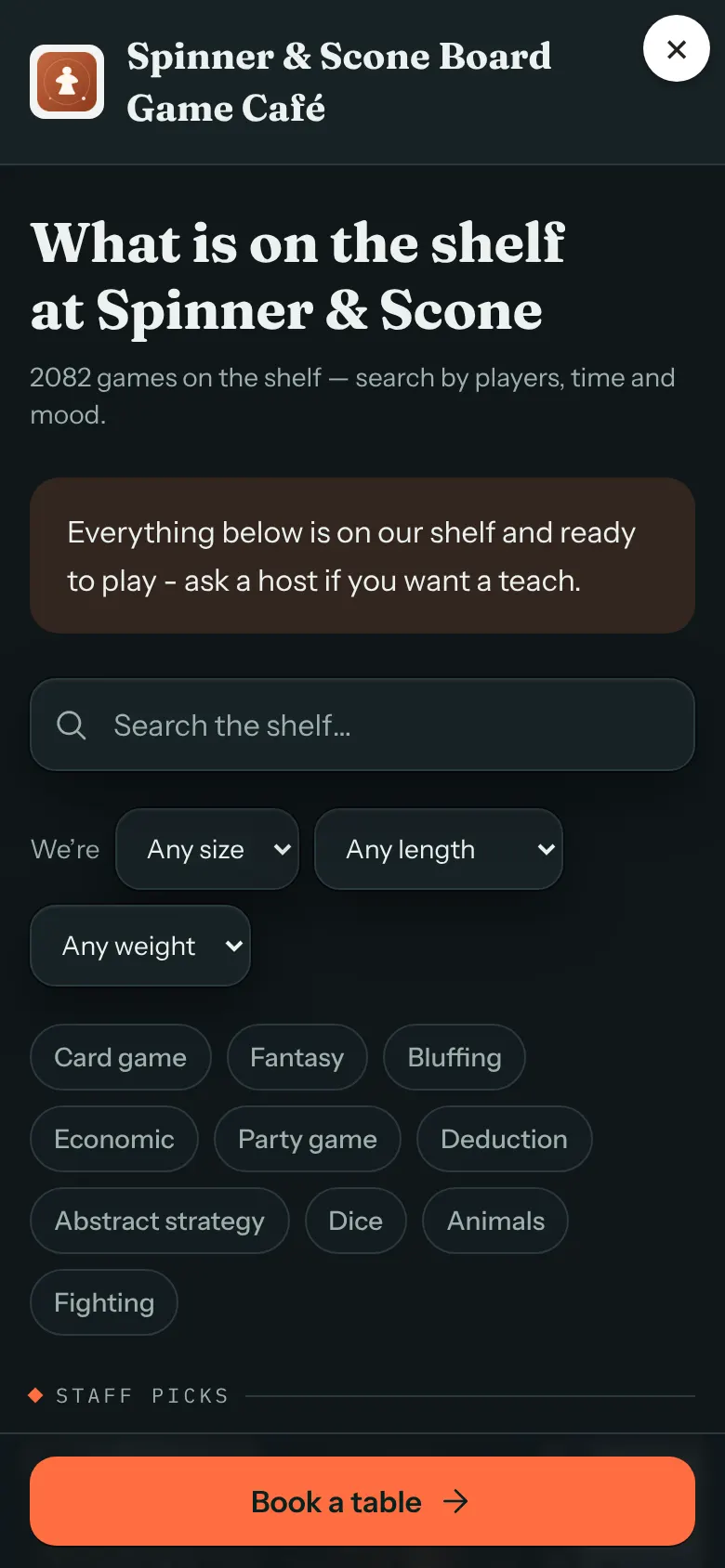
You paste it the same way as the booking snippet. See Where to paste it. On Wix or Google Sites, where you set the box size yourself, make the box tall, because a game list can be long. You can also copy your own snippet, with your venue already filled in, from Settings → Guests → Games page, in the Your game list for your website card.
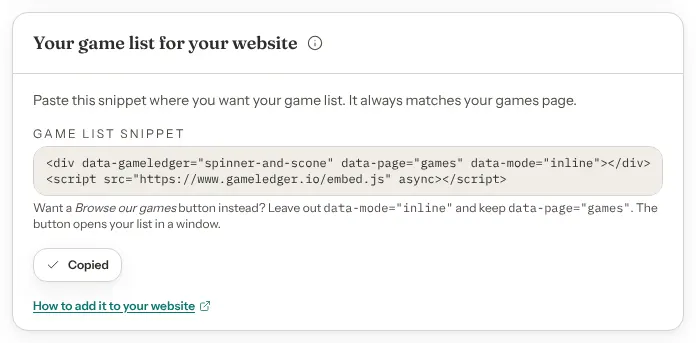
Embedding shows your list to visitors; keep a normal link to your games page in your site menu and Google Business Profile so search engines find it.
While your games page is turned off, the embed shows "This game list isn't available right now" instead of your games.
When guests can book online, the Book a table button inside the list takes them on to your booking page in the same window.
Options and defaults
The snippet has four parts you can change. Everything else is fixed.
| Option | What it does | Default |
|---|---|---|
| Venue address name (data-gameledger) | Which venue's booking page or game list opens. This is the address name in your booking link (the part after /v/), which you can see in Settings → Venue → Profile, under Slug. The Copy snippet button fills it in for you. If it contains characters that aren't allowed, nothing appears on your page. If it is well formed but wrong, the button appears and then opens a page that can't be found. | Default: Your venue, already filled in |
| Button text (data-label) | The words on the popup button. Leave it out, or leave it empty, to use the default. When data-page is games, the default is Browse our games. | Default: Book Now |
| Display (data-mode) | popup shows a button that opens the form or list in a window. inline puts the form or list on the page. Any other value opens the popup. | Default: popup |
| What it shows (data-page) | games shows your game list. Leave it out to show your booking page. | Default: Your booking page |
Change the button text
Add data-label to the first line:
<div data-gameledger="your-venue-slug" data-label="Reserve a table"></div>
<script src="https://www.gameledger.io/embed.js" async></script>
Keep the text short and avoid straight double quotes inside it.
Several buttons on one page
Paste the first line wherever you want a button, such as the header, a menu page or the footer. The second line only needs to appear once per page. It is fine if it appears more than once, because the widget notices.
Styling
The button is teal with white text and uses your site's font. If your designer wants to restyle it, the button carries the class gl-embed-btn.
What guests see
The popup
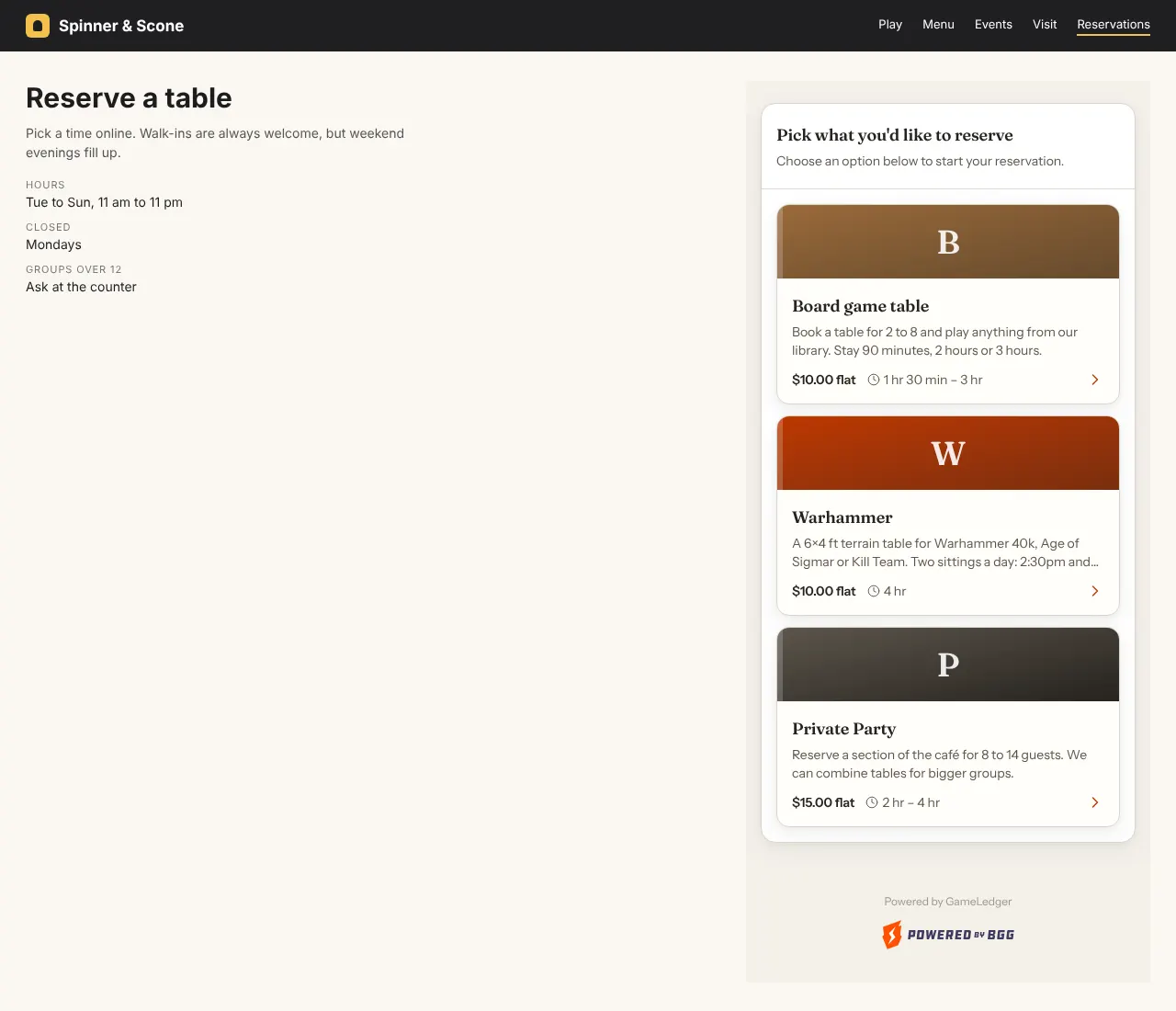
Guests tap the button and your booking page opens in a window over your site. It looks just like your booking page at your booking link: your logo (or GameLedger's if you haven't added one), your reservation types and the same steps. Guests can close it with the × in the corner, by pressing Esc, or by tapping outside the window. On phones, the window fills the screen.
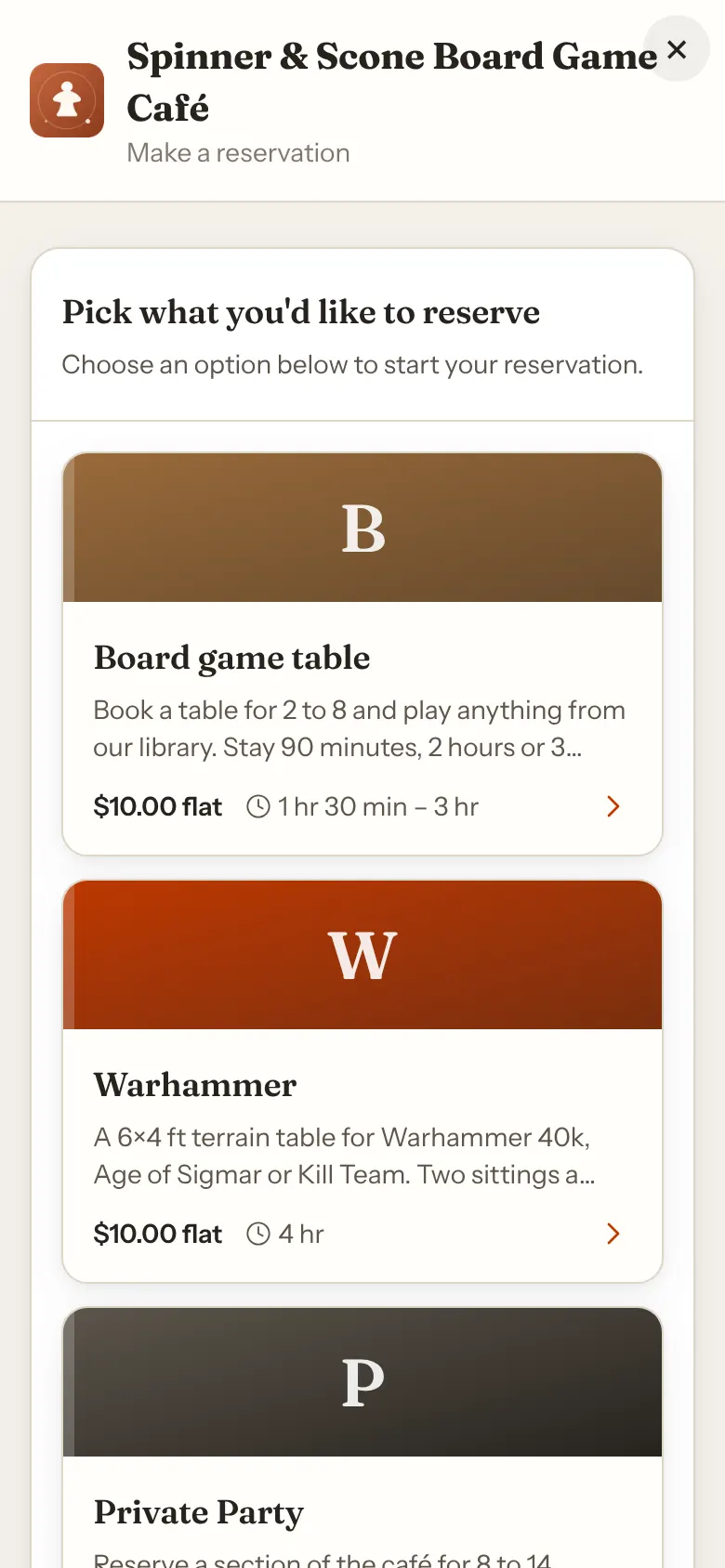
While the page loads, guests briefly see "Loading…". If it takes more than about fifteen seconds, an Open the booking page link appears so nobody is stuck.
When a guest finishes, the confirmation appears inside the window. They get the same confirmation code, calendar buttons and email as from your booking link, and the same Manage Reservation link.
The inline form
The form sits in your page at its natural height and resizes as guests move through the steps. The confirmation and the manage-reservation page stay on your page too. The venue name and logo at the top of the form are left out, because your page already has its own.
The "Powered by" line
A small "Powered by GameLedger" line appears at the bottom of the booking form, in the popup and in the inline form. It links to GameLedger, and there is no setting to hide it.
If you pause online bookings
Turning off Accept Online Bookings doesn't break your website. The button stays on your page, and nothing needs to be pasted again. When a guest taps the button, or loads an inline form, they see a page titled Reservations Not Available. It says that your venue isn't currently accepting online reservations and asks them to contact you directly to book. This page doesn't have the "Powered by" line.
Turn Accept Online Bookings back on and the widget works again straight away.
While online bookings are off, Settings → Guests → Booking Page shows a box on the Add booking to your website card. It says that the button will show guests a "bookings unavailable" message until you turn them back on.
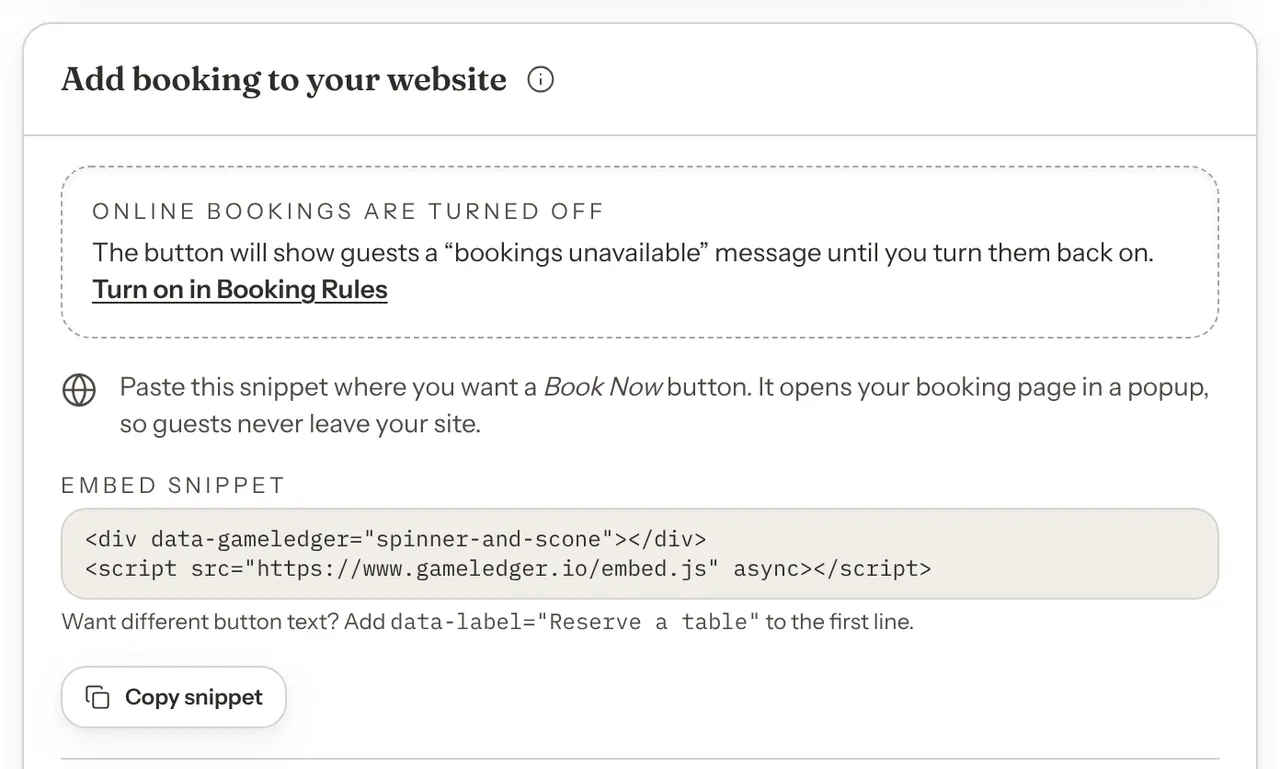
To turn bookings back on:
- Choose Turn on in Booking Rules in that box, or go to Settings → Venue Policies → Booking Rules.
- Tick Accept Online Bookings.
- Press Save Changes.
You also keep your booking link
The embed is an addition, not a replacement. Your booking link keeps working, and it is the right tool wherever you can't paste code:
- Your Google Business Profile Reserve button
- Your Instagram bio
- Your Facebook page call-to-action button
- Your email signature and newsletters
- Printed QR codes on the door, the counter and table tents
Copy the link from the Your booking page card in Settings → Guests → Booking Page, or from Share booking link on the Bookings page.
Taking payments?
If your venue doesn't take online payments, you can skip this section.
If it does, there is one extra step so guests can pay with Apple Pay and Google Pay on your website. Card payments work inside the booking form straight away. Apple Pay and Google Pay only appear on websites that have been registered with the company that processes your payments (Stripe). Inside an embed, that means your own website's address, not just GameLedger's.
For venues with online payments connected:
- In Settings → Guests → Booking Page, the snippet card shows a reminder, Taking payments through GameLedger?, with an Open Payment Processors link.
- In Settings → Venue Policies → Payment Processors, find the Website domains card. Owners, admins and team members with Edit on Payments can register domains. Everyone else sees the card switched off, with the note "Only team members with Edit on Payments can register domains."
- Type the domain of the site where you pasted the snippet, for example
www.yourcafe.com. Enter only the domain, with nohttps://and no page path. If you add them by mistake, the card tells you to enter just the domain. - Press Register with Stripe. The list also shows GameLedger's own domain, marked GameLedger (required). GameLedger registers it for you once your Stripe card says Connected, so Apple Pay and Google Pay work on your GameLedger booking page without this step.
Each registered domain shows whether Apple Pay and Google Pay are active. Apple Pay can show as inactive for a little while after you register, while the check finishes. Press Register with Stripe again later to re-check. Registering the same domain twice is harmless. If you move your website to a new domain, register the new one the same way.
If your venue doesn't take payment, the card says Not needed yet.
Your website must be served over https for checkout to work reliably inside the widget. The button and the form still load on a plain http page, but checkout may not.
Good to know
- The button can't open one specific reservation type. It opens your booking page, and guests choose the type there.
- The inline form is a narrow column that starts over on reload. It is about 512 px wide and made for phones first, so it looks best in a column, not stretched across a wide page. It doesn't change your page's address, so reloading the page starts the booking again from the first step.
- Wix and Google Sites need a different setup. They show your code in a small box that won't let the popup open over your page, so use a Button that links to your booking link, or the inline form in a tall box.
- Changing your venue's address name breaks pasted snippets. If you change the Slug in Settings → Venue → Profile, every snippet already on your website stops working, because the old name is in its first line. Copy the new snippet and paste it over the old one.
Troubleshooting
Nothing appears where you pasted
- A security or speed plugin, or an ad blocker, is blocking the script. Allow
www.gameledger.ioand reload. - A caching plugin is serving the old page. Clear the cache.
- The builder stripped the
<script>line. Use the builder's own HTML or embed element, not a text block. - The venue address name in the first line has characters that aren't allowed. Copy the snippet again from Settings → Guests → Booking Page instead of retyping it.
The code shows as text on the page
You pasted into a normal text box. Delete it and paste into the Custom HTML, Code or Embed element for your builder.
The button says Book Now, but the window says Reservations Not Available
There are two causes. Either online bookings are turned off for your venue, or every reservation type that is on is limited to specific tables and none of those tables is active.
- Go to Settings → Venue Policies → Booking Rules and turn on Accept Online Bookings. New venues start with online bookings off, so this is the first thing to check on a new setup.
- If it is already on, pick each reservation type in the Editing: selector at the top of the same tab and check its Who can book card. A type set to Specific tables needs at least one ticked table that is active. Tick an active table, choose Any active table, or turn the table back on in Tables & Floor Plan.
The widget updates straight away, and there is nothing to paste again.
The button appears but the window stays blank
Wait a few seconds. If the window is still blank after about fifteen seconds, an Open the booking page link appears. A window that stays blank usually means a browser extension is stopping the booking form from loading, so try another browser. Pop-up blockers don't affect the widget, because the booking form opens on the page and not in a new window.
The button opens a tiny window (Wix, Google Sites)
The builder shows your code in a small box of its own, and the popup can't open over your page from inside it, so it appears squeezed into that box. Use a Button linked to your booking link, or switch to the inline form in a tall box.
The inline form is stuck at one height or is cut off
The page or one of its plugins is stopping the form from telling your page how tall it is. Switch that spot to the popup by removing data-mode. On Wix or Google Sites, make the box tall enough for the whole form, or use a Button to your booking link.
Apple Pay or Google Pay is missing at checkout
Register your website's domain as described in Taking payments?, and make sure the page is served over https.
My page builder won't accept HTML
Some plans, templates and text boxes strip HTML code. Use the builder's "embed code" element. If there isn't one, add a button that links to your booking link instead.
Changes don't show up
Clear your builder's cache or open the page in a private window. The widget itself updates automatically, so you never need to paste the snippet again. If the button behaves oddly after edits, exclude the page from caching.
Questions
Is there a WordPress plugin?
No, and you don't need one. The two-line snippet does what a plugin would do, works on every platform and not just WordPress, and never needs updating, because the widget updates itself. If a security plugin blocks outside scripts, allow www.gameledger.io.
Will it slow my site down?
The snippet loads a small script after your page has loaded. In the popup version, the booking form itself only loads when a guest taps the button. The inline form loads with the page.
Will bookings from my website look different in GameLedger?
No. They are the same bookings, in the same admin, with the same confirmation email, reminder emails and Manage Reservation link for the guest.
Can guests use it on a phone?
Yes. The popup fills the phone screen and the inline form is made for phones first. Make sure your page has the usual mobile settings your site builder applies by default.
Is the booking page hosted on my own website address?
No. GameLedger hosts the booking page, at the same address as your booking link, and your website shows it in a window. While guests book, the address bar still shows your own website. A guest only reaches a GameLedger address by following the small Powered by GameLedger link, or the Open the booking page link that appears if the window fails to load. Both open in a new tab.
You don't need to set anything up on your own domain for the button to work. The one exception is for venues that take online payments, which register their domain so Apple Pay and Google Pay work. See Taking payments?.
Is it secure?
The booking form runs separately from your website, so your site's code can't read what guests type into it. Card details go to the payment provider and not through your site.
What if I redesign my website?
Paste the same snippet into the new site. Nothing changes on the GameLedger side.
Launch checklist
- You copied the snippet from Settings → Guests → Booking Page instead of retyping it.
- You pasted it into a Custom HTML, Code or Embed element, not a text box.
- The button shows on the published page, on a computer and on a phone.
- You made a test booking and cancelled it afterwards. If you take payment, you cancelled it straight away or used a free reservation type.
- Accept Online Bookings is on in Settings → Venue Policies → Booking Rules.
- If you take payments, you registered your website's domain and your site uses
https. - Your booking link is still in your Google Business Profile, your Instagram bio and your QR codes.
Need help?
Contact support and include your website address and which site builder it uses.